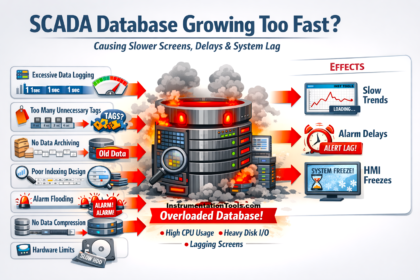
In industrial automation systems, operators often experience SCADA screens freezing or becoming temporarily unresponsive when opening complex or heavy graphics pages. This situation typically occurs in large plants where SCADA displays contain numerous animated objects, real-time tag updates, alarm indicators, and detailed background layouts. When such pages are opened, the SCADA workstation must load multiple graphical elements and establish communication with several PLC tags simultaneously. This sudden processing demand can slow down the system or cause the interface to appear frozen for a few seconds.
SCADA Freezing
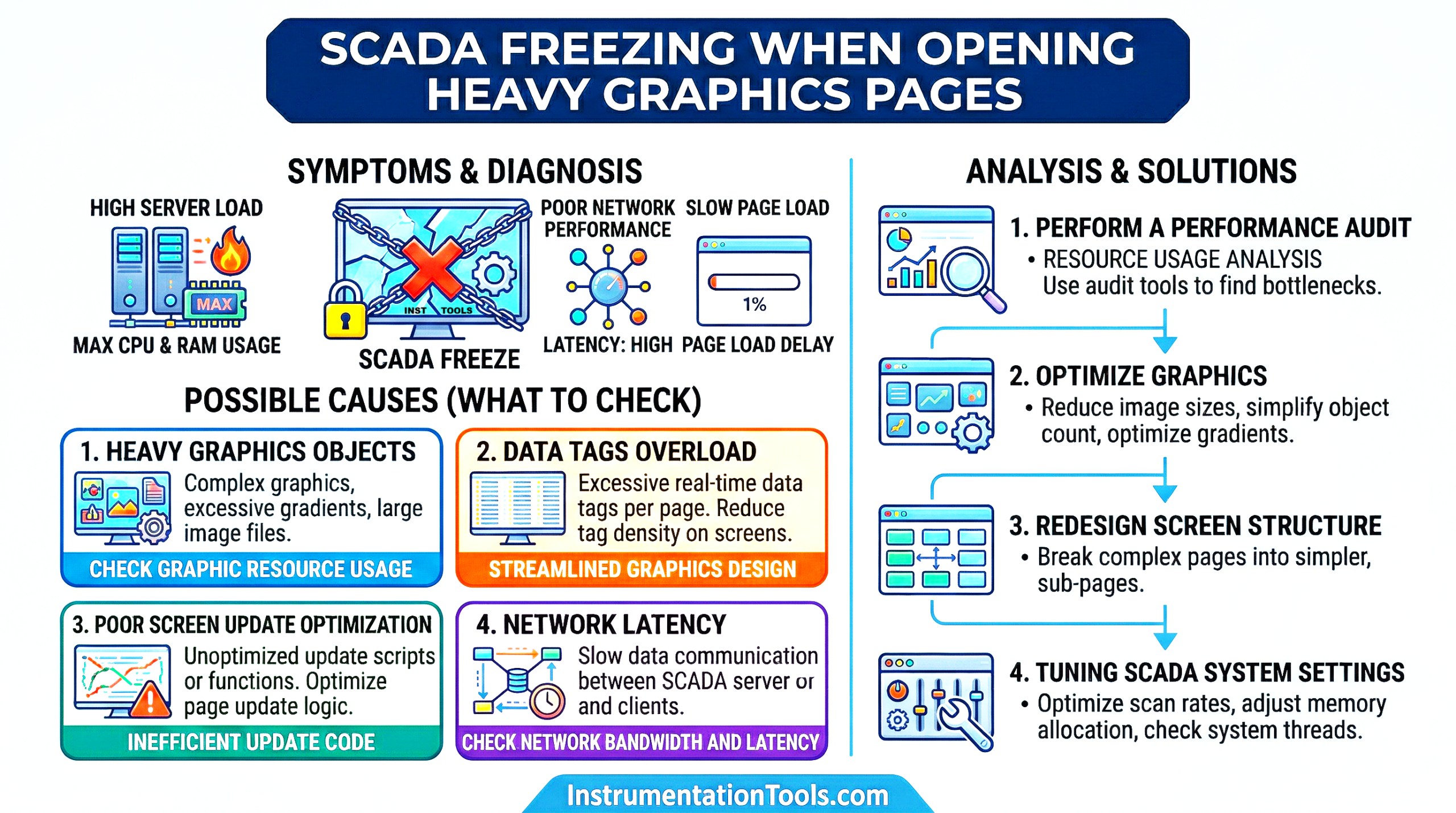
In most cases, the issue is not a software failure but a result of inefficient graphic design, high data loads, or limited workstation resources. Understanding the causes behind this behavior helps engineers design optimized SCADA screens that improve system responsiveness and provide operators with smoother plant monitoring.
Excessive animated objects
One of the most common reasons for SCADA screens freezing during page loading is the presence of too many animated objects. In modern SCADA systems, graphical elements such as motors, pumps, valves, conveyors, and tanks are often animated to reflect real-time equipment status. These animations may include rotation, blinking alarms, color changes, level movement, or flow direction indicators. While such animations improve visualization and operator understanding, they also consume processing power because the SCADA workstation must constantly refresh these objects based on incoming PLC data.
When a graphic page contains a large number of animated elements, the SCADA software needs to evaluate and update each animation simultaneously as soon as the screen opens. For example, if a single display contains hundreds of motors, valves, pipelines, and alarm indicators, each with dynamic animation, the CPU and graphics resources of the workstation become heavily loaded. This sudden processing demand can cause the SCADA application to temporarily freeze or become unresponsive while all objects are initialized and updated.
A large number of tags are linked to the screen
Another common reason for SCADA freezing while opening a graphics page is the large number of PLC tags linked to that screen. Every graphical object on a SCADA display typically reads one or more real-time tags such as status bits, analog values, alarms, or interlocks. When the operator opens a page, the SCADA system immediately starts requesting the latest values for all those associated tags from the PLC or data server. If the screen is designed with hundreds or even thousands of tag references, the system generates a sudden burst of communication requests. This can temporarily overload the communication driver, OPC server, or network interface. As a result, the SCADA software may pause while waiting for tag values to be retrieved and processed.
During this time, the graphics page may appear frozen or slow to respond because the objects on the screen cannot fully render until their associated tag values are received. In large automation systems where screens are connected to multiple PLCs or remote I/O networks, this tag loading process can become even heavier, increasing the chances of temporary SCADA freezing when opening the page.
High-resolution background images
Another issue that can cause SCADA screens to freeze while opening is the use of high-resolution background images. Many engineers design graphic pages using detailed plant layouts, P&ID diagrams, or high-quality images to make the interface visually appealing and easier for operators to understand. However, these images can be very large in file size and require significant memory and graphics processing resources to load.
When a heavy graphics page opens, the SCADA system must first load and render the background image before displaying the rest of the dynamic objects on top of it. If the image resolution is very high, the workstation may take additional time to process and display it. During this loading phase, the SCADA interface may become temporarily unresponsive or appear frozen. This issue becomes more noticeable when multiple graphic screens contain large images or when the operator frequently switches between different pages, forcing the system to repeatedly load these heavy graphical elements.
A large number of faceplates or reusable objects
Heavy SCADA pages often contain many reusable objects such as faceplates, equipment templates, or parameterized symbols for motors, valves, pumps, and instruments. Each faceplate typically contains multiple internal objects like indicators, buttons, alarms, and tag bindings. When a graphic page is opened, the SCADA system must initialize every instance of these objects along with their associated properties and tag references.
If a single screen contains dozens or even hundreds of such reusable components, the SCADA engine needs to process a large number of internal graphical elements simultaneously. Even though the screen may visually appear simple, each faceplate may internally consist of many sub-objects and dynamic properties. As a result, the system workload increases significantly when the page loads, which can cause the SCADA interface to pause or freeze briefly while all components are initialized and rendered.
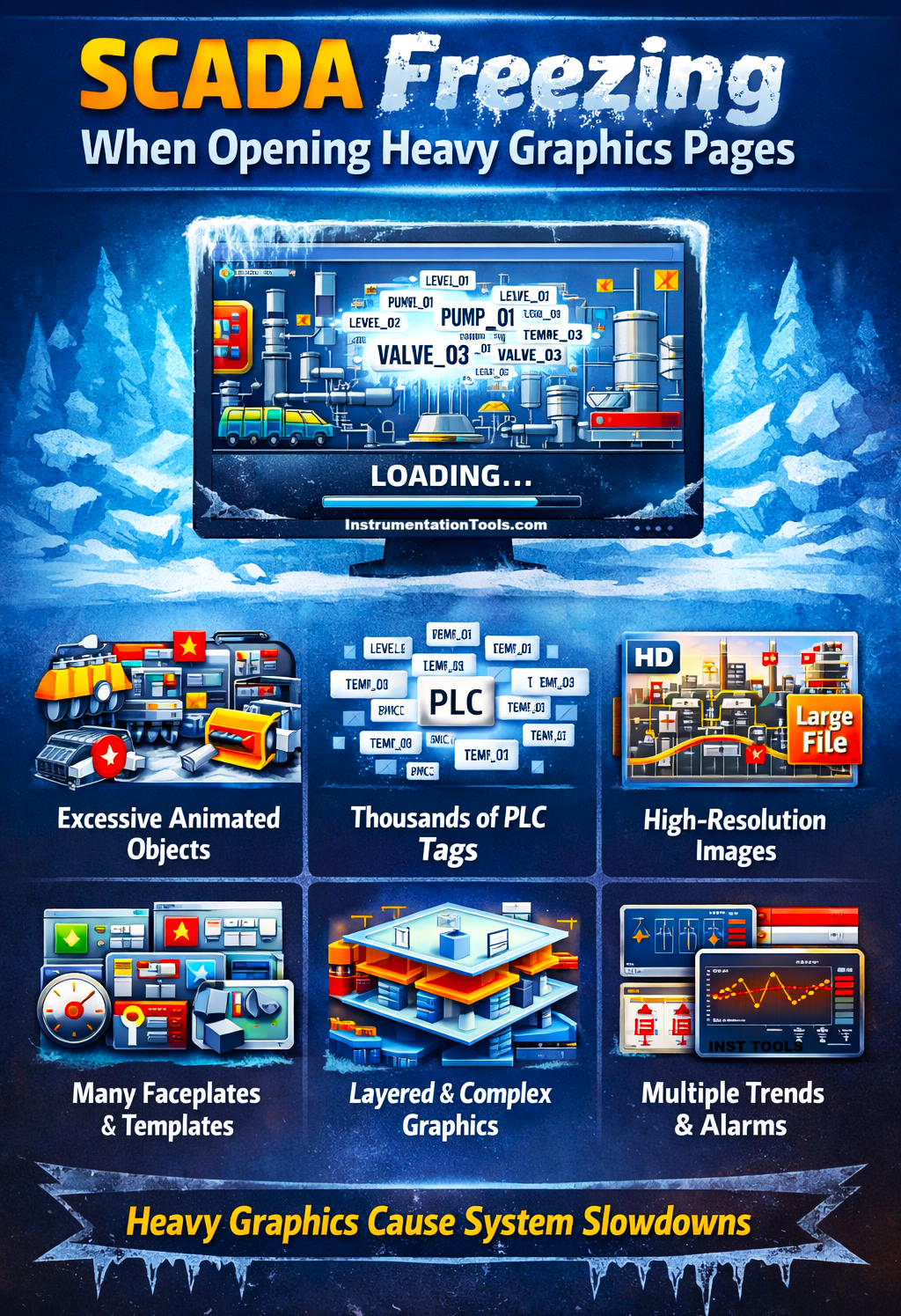
Slow rendering due to layered graphics and complex object grouping
Heavy SCADA graphic pages often contain multiple layers of graphical elements such as pipelines, equipment symbols, labels, indicators, and alarm overlays. In many cases, these objects are grouped together, stacked on different layers, or placed over background layouts to create a detailed process visualization. While this improves the visual representation of the plant, it increases the rendering workload of the SCADA graphics engine.
When the operator opens such a page, the system must process and draw each graphical layer in sequence. Complex object groupings, transparency effects, overlapping objects, and multiple dynamic elements force the graphics engine to perform additional calculations before the screen can be fully displayed. As the number of layers and overlapping objects increases, the rendering time also increases. During this rendering process, the SCADA interface may appear frozen or slow to respond because the system is busy drawing and organizing all graphical elements on the screen. In large process graphics with detailed layouts, this delay can become noticeable each time the page is opened.
Multiple embedded trend or alarm objects
Another issue that can make heavy SCADA graphics pages freeze is the presence of multiple embedded objects, such as real-time trends, alarm summaries, or event viewers. These components are more resource-intensive than simple graphic symbols because they continuously retrieve and process historical or real-time data from the SCADA server or historian database.
When a graphics page containing several trend windows or alarm viewers is opened, each of these objects begins loading data simultaneously. For example, a trend display may request several historical data points for multiple tags, while an alarm summary may query the alarm database to display recent events. If multiple such components exist on the same screen, the system must process several database or historian requests at once. During this data loading process, the SCADA workstation may temporarily appear frozen because it is busy retrieving and preparing the required information for these embedded components. In large systems with heavy historian usage, this delay can become even more noticeable when opening complex graphics pages.
In this way, we saw how SCADA freezes when opening heavy graphics pages.