In many industrial plants, operators notice that the SCADA system runs smoothly for most of the shift but becomes noticeably slow exactly during shift change. Screens may take longer to open, alarm acknowledgments may respond with a delay, and trend updates may lag for a few minutes. This situation can confuse operators because the PLC and field devices continue running normally while only the SCADA interface feels sluggish.
SCADA Systems Slow
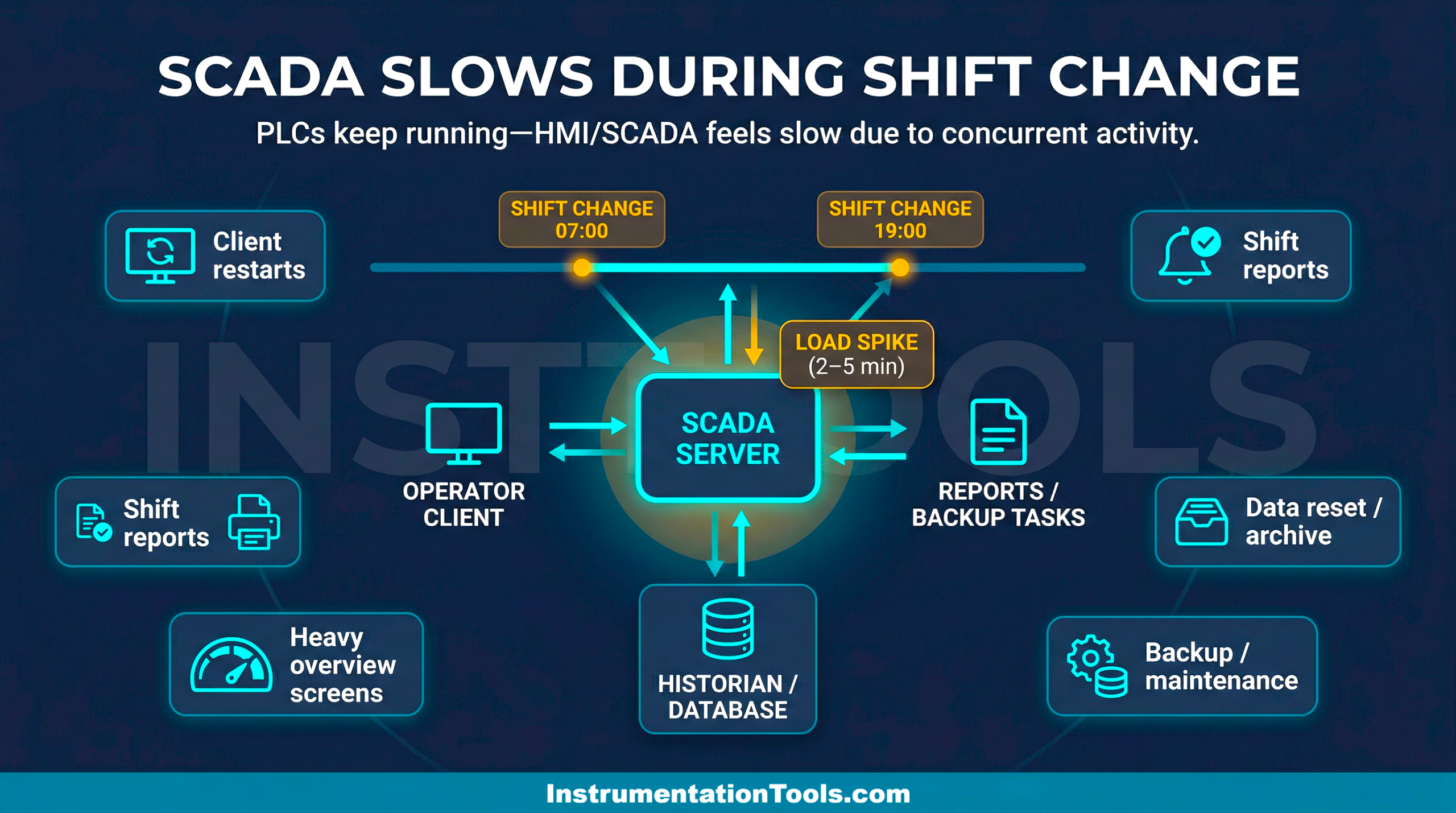
The reason usually lies in a temporary spike in system activity that occurs during the shift transition. Multiple users logging in, alarm acknowledgments, report generation, and data resets often happen at the same time, creating a short period of heavy load on the SCADA server and network. In this post, we will see why SCADA systems slow down only during shift change.
SCADA Workstations Restarting
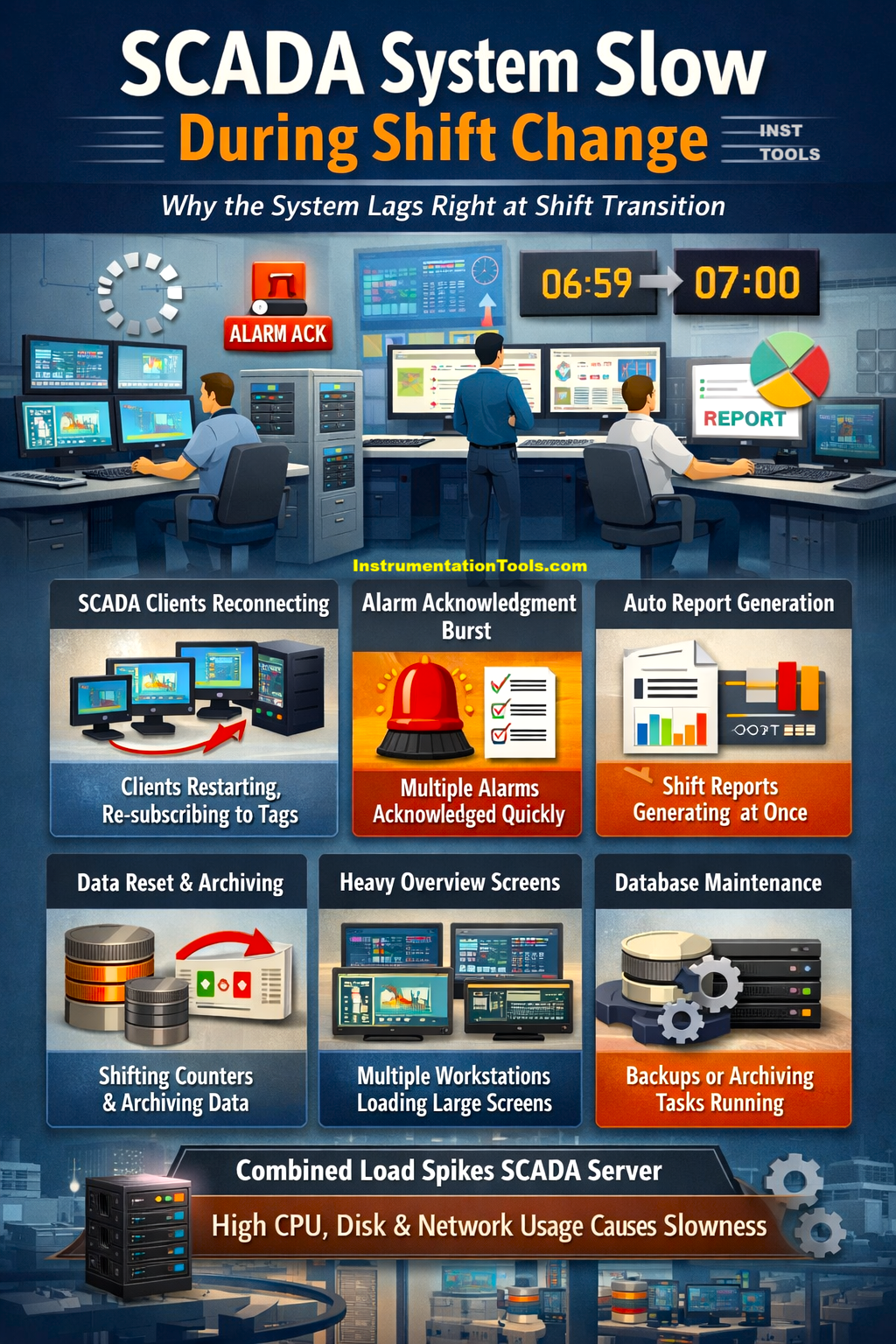
In many plants, operators restart their SCADA client stations during shift change or reopen the main SCADA application to start fresh. When a SCADA client starts, it does much more than just open a screen. It reconnects to the server, subscribes to thousands of tags, loads alarm summaries, initializes trends, and sometimes loads multiple overview screens automatically.
If several operator stations are restarted within a short window, say within 2-3 minutes during shift takeover, the SCADA server suddenly receives multiple requests for large tag subscriptions and alarm data. This creates a temporary load on the server CPU, memory, and network communication services.
The result is that screens may refresh more slowly or alarms may take a moment longer to respond until all clients finish initializing and the system stabilizes again. So, practically speaking, the slowdown is because several SCADA clients reconnect and start requesting large amounts of real-time data during the shift transition period.
Alarm acknowledgment burst
During shift change, outgoing operators usually review all active alarms with the incoming shift operator. In many cases, alarms that were left unacknowledged during the previous shift get acknowledged at this time. This can create a short burst of alarm acknowledgments within a few minutes. Every alarm acknowledgment is not just a simple button action.
The SCADA system must update the alarm state, record the acknowledgment in the alarm history database, store the operator name and timestamp, and sometimes trigger event logs or audit trails. If many alarms are acknowledged within a short period, the system must process multiple database transactions simultaneously. This sudden activity increases the load on the SCADA server and its database engine, which can temporarily slow down screen updates, alarm refresh rates, or client responsiveness until the processing queue clears.
Automatic shift report generation
In many plants, shift-based production reports are configured to generate automatically at the exact time a shift ends. These reports may include production totals, downtime summaries, alarm statistics, energy consumption, or batch data for the completed shift. To generate these reports, the SCADA system or historian must query a large amount of stored data from the database.
Such queries can be resource-intensive, especially if the report pulls data from multiple tags over several hours. If the reporting engine runs on the same server as the SCADA application or historian, the CPU, memory, and disk usage can temporarily increase while the report is being processed. During this period, the SCADA server may respond slightly slower to client requests, which operators perceive as screen lag or delayed responses. Once the report generation completes, the system load usually returns to normal, and SCADA performance stabilizes again.
Shift-based data reset or archiving
Many SCADA systems are configured to reset certain counters or archive shift-related data exactly when a shift changes. For example, production totals, batch counts, runtime hours, or downtime accumulators may be reset so that the next shift starts with fresh values. At the same time, the previous shift’s data may be stored in the database for reporting or historical analysis.
When this reset or archiving happens, multiple tags may be written to the database, and several calculations or logging events may occur simultaneously. If hundreds of tags are involved, the SCADA server must process many write operations and historian entries in a short period. This sudden activity increases processing and database load, which can temporarily slow down screen updates, tag refresh rates, or alarm responses for a few moments during the shift transition.
Operators opening the same overview screens
At the start of a shift, incoming operators typically open important plant overview screens such as process summaries, alarm dashboards, production status pages, or trend displays to understand the current plant condition. These screens are often the heaviest in the SCADA system because they contain many animated objects, tag references, alarm summaries, and sometimes embedded trends.
When several operator stations open these complex screens within a short time, the SCADA server must send large volumes of real-time data updates to each client. The server also needs to handle multiple tag subscriptions and graphical updates simultaneously. This sudden increase in client requests can temporarily increase network traffic and server processing load, making screen navigation or updates appear slower until the initial data loading is completed.
Database backup or maintenance tasks are scheduled at the shift boundary
In some plants, engineers schedule database-related tasks exactly at shift boundaries because it aligns neatly with operational reporting cycles. These tasks may include historian archiving, alarm log compression, database indexing, or automatic backups. While these activities are useful for maintaining system health, they can consume significant disk and CPU resources while they run.
If such maintenance tasks start at the same time operators are actively interacting with the SCADA system during shift handover, both operations compete for the same server resources. High disk I/O from database maintenance can slow down alarm logging, historian writes, and screen data refresh. As a result, the SCADA interface may appear sluggish for a short period until the maintenance task finishes and system resources become available again.
In this way, we saw how SCADA systems become slow during shift change.