In industrial automation systems, historians play a critical role in storing process data for analysis, reporting, and troubleshooting. Engineers often rely on historical trends to understand how a plant behaved during a particular period. However, there are situations where historical trends show clear time gaps even though the PLC, SCADA, and network communication were running normally.
Historian Logging Gaps
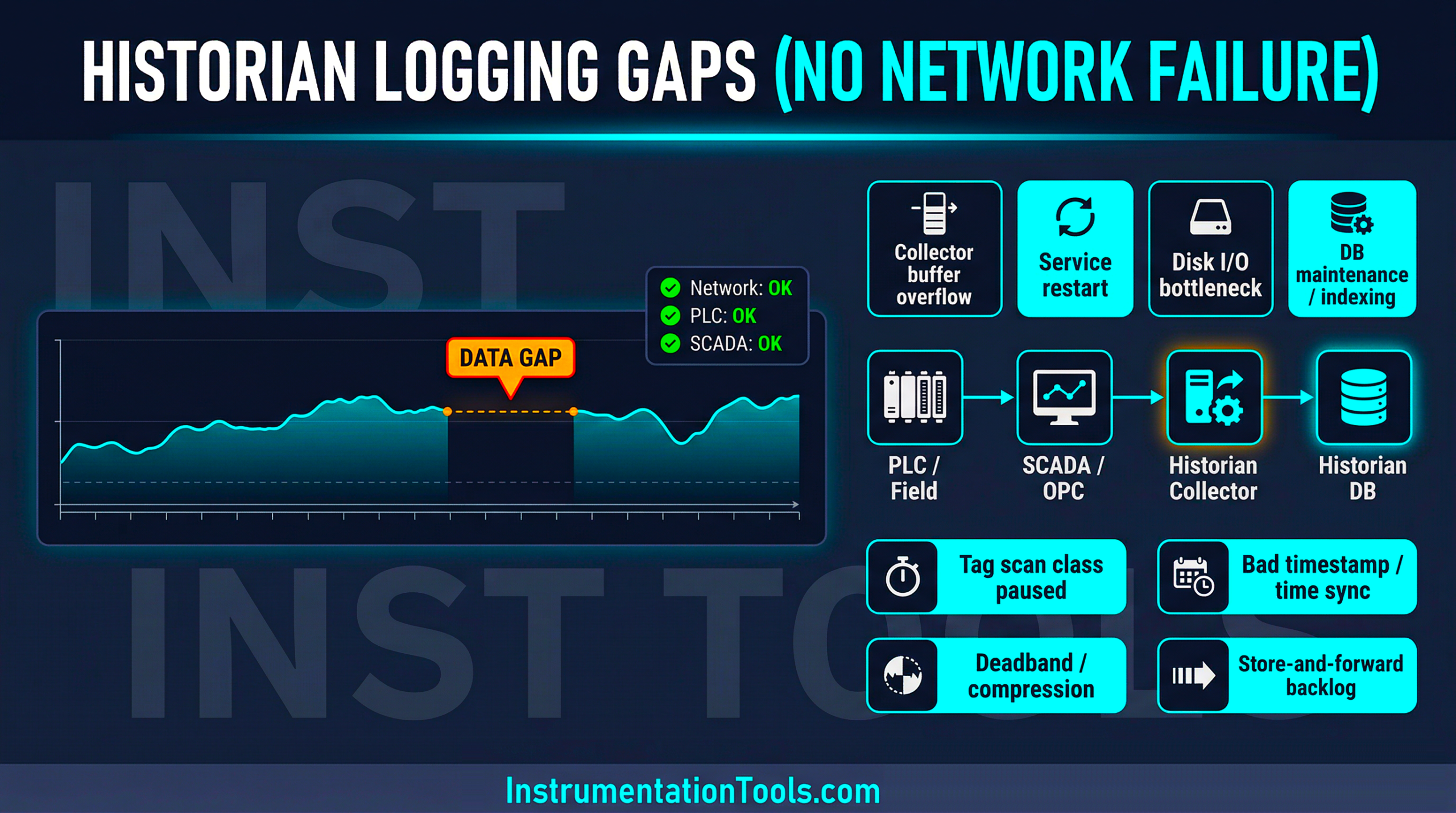
No communication alarms, link failures, or device faults are reported, yet the database still contains missing data for certain intervals. Such situations can be misleading because engineers may initially suspect network instability, while the actual causes usually lie within the historian configuration, data collection mechanisms, or server-side behavior. Understanding these hidden factors is important for diagnosing unexplained historian logging gaps in real industrial environments.
Historian service or data collector restart
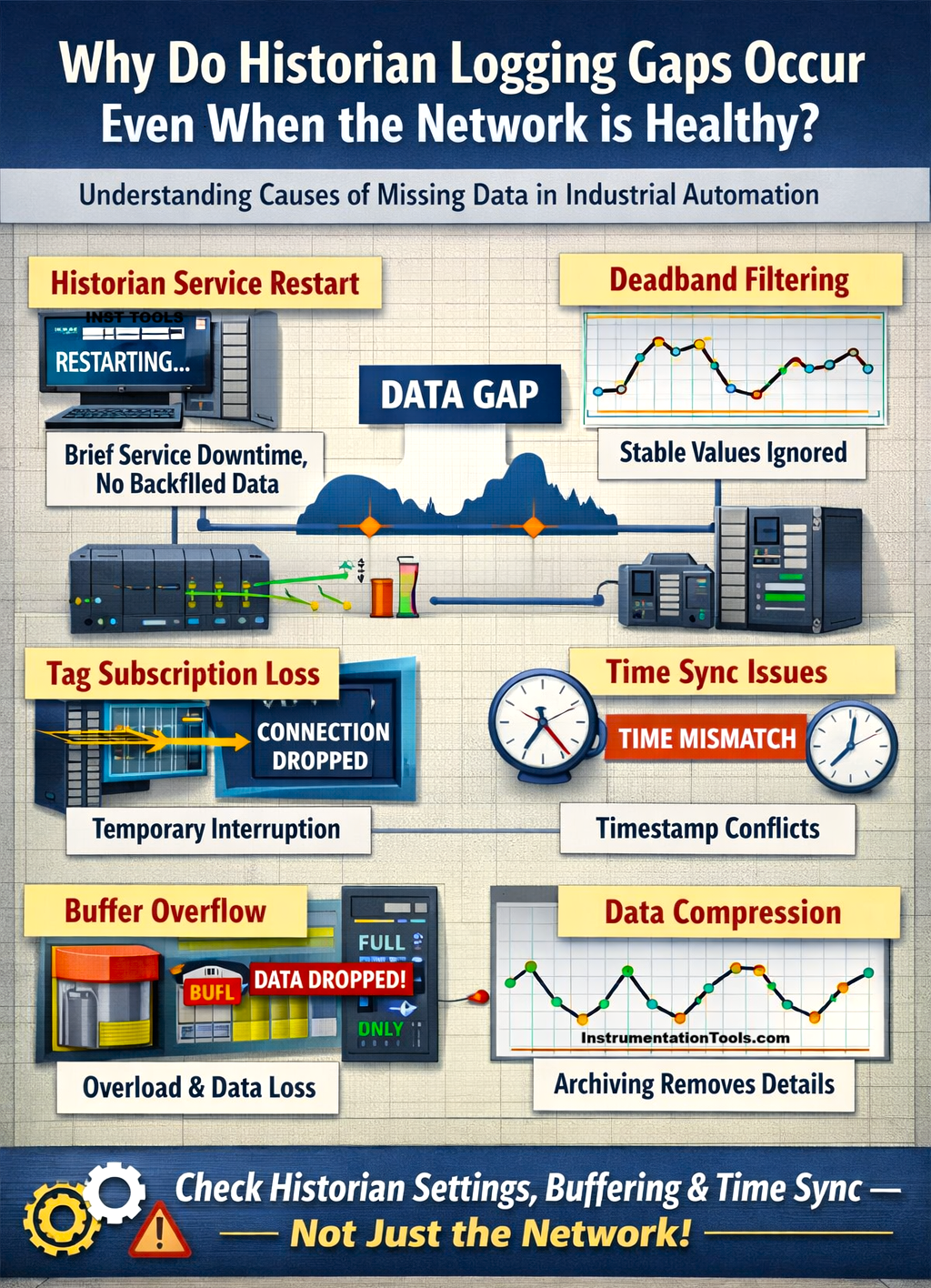
One common reason for historian logging gaps is the temporary restart of the historian service or its data collection engine. In most industrial systems, the historian runs as a background service on a server that continuously collects tag values from SCADA, OPC servers, or directly from controllers. If this service stops even for a short period, the data flow to the historian is interrupted. Such restarts can happen due to automatic Windows updates, server maintenance, software patches, or internal service crashes. In many cases, these restarts are very quick and may not trigger visible alarms on the operator screens. The SCADA system and PLC communication continue to run normally, so operators do not notice anything unusual in the live system.
However, while the historian service is stopped, incoming data values are not recorded in the database. When the service restarts, it resumes normal logging from the current time, but the historian typically does not retrieve or reconstruct the data missed during the downtime. As a result, when engineers later review historical trends, they see clear time gaps in the data, even though the plant equipment, PLC, and network were functioning normally throughout that period.
Deadband or exception logging configuration
Another common reason for apparent historian data gaps is the deadband or exception logging configuration used in many industrial historian systems. To prevent the database from growing excessively large, historians often do not store every single scan value. Instead, they log a value only when the process variable changes beyond a defined threshold. For example, consider a temperature tag configured with a deadband of 0.5°C. If the temperature fluctuates slightly within this range, such as from 60.0°C to 60.3°C and back to 60.1°C, the historian may ignore these small changes and avoid storing them. From the historian’s perspective, the process has not changed significantly enough to justify another data entry.
If the process variable remains stable for a long duration, the historian might store only the first value and then wait until a meaningful change occurs. When engineers later review the trend over that period, it may appear as if the historian did not log data for a long time, even though the process was operating normally. In reality, the historian was working as designed, but the deadband or exception settings filtered out the intermediate values, creating what visually looks like a logging gap in the historical record.
Tag scanning or subscription interruptions
In many architectures, the historian does not read PLC tags directly. Instead, it subscribes to data from a SCADA server or an OPC server that already communicates with the PLC. The historian depends on these subscriptions to continuously receive updated tag values. Sometimes, these subscriptions may temporarily stop or refresh internally due to OPC server reloads, configuration changes, driver restarts, or internal communication buffers resetting. During this brief period, the SCADA system may still be receiving live data from the PLC, but the historian is no longer subscribed to those updates.
Because the historian does not receive any values during this interruption, it cannot store those samples in the database. Once the subscription automatically reconnects or refreshes, data logging resumes normally without generating any obvious alarm. Later, when engineers analyze historical trends, they may observe short gaps in the data, even though the PLC communication and network connection were functioning properly at the time.
Time synchronization issues
Another subtle cause of historian logging gaps is time synchronization mismatch between different systems such as the PLC, SCADA server, OPC server, and the historian server. In industrial environments, each device may maintain its own internal clock, and if these clocks drift apart, data timestamps can become inconsistent. For example, if the historian server’s clock is slightly ahead while the SCADA or OPC server is behind, the incoming data may carry timestamps that appear older than the historian’s current time window. Some historian systems are designed to reject or ignore such values because they appear out of sequence.
Similarly, if a device suddenly adjusts its clock due to manual correction or NTP synchronization, the historian may see incoming data with timestamps that jump backward or forward in time. To protect database integrity, the historian may skip storing those samples. As a result, engineers reviewing historical trends may observe blank segments or missing data intervals, even though the network communication and controller operation were functioning normally.
Data compression or archiving behavior
Many industrial historians use data compression techniques to reduce database size and improve long-term storage efficiency. Instead of storing every collected sample, the historian evaluates whether new data points actually add meaningful information to the trend. If several consecutive values follow a smooth pattern or remain very close to the existing trend line, the historian may remove or ignore intermediate points during compression. The system keeps only the most important values that define the overall shape of the trend.
This behavior becomes more noticeable when engineers view large time ranges, such as several days or months. The historian may display only key data points rather than every recorded sample, which can visually resemble gaps in the data. In reality, the historian is not malfunctioning. It is simply applying its compression or archive optimization algorithms to manage storage efficiently, which can sometimes make the trend appear as if certain periods were not logged.
In this way, we saw why there can be historian logging gaps without any network failure, too.