In industrial automation systems, a common issue occurs where an alarm keeps appearing even after acknowledgement. As a result, the operator is confused about why the alarm keeps sounding even after it has been acknowledged.
Alarms That Keep Reappearing
The real issue is that as a system comprises both SCADA and PLC, it becomes difficult for them to troubleshoot the exact issue. In this post, we will see the concept of how the alarms keep reappearing even after acknowledgement.
Process condition never actually cleared
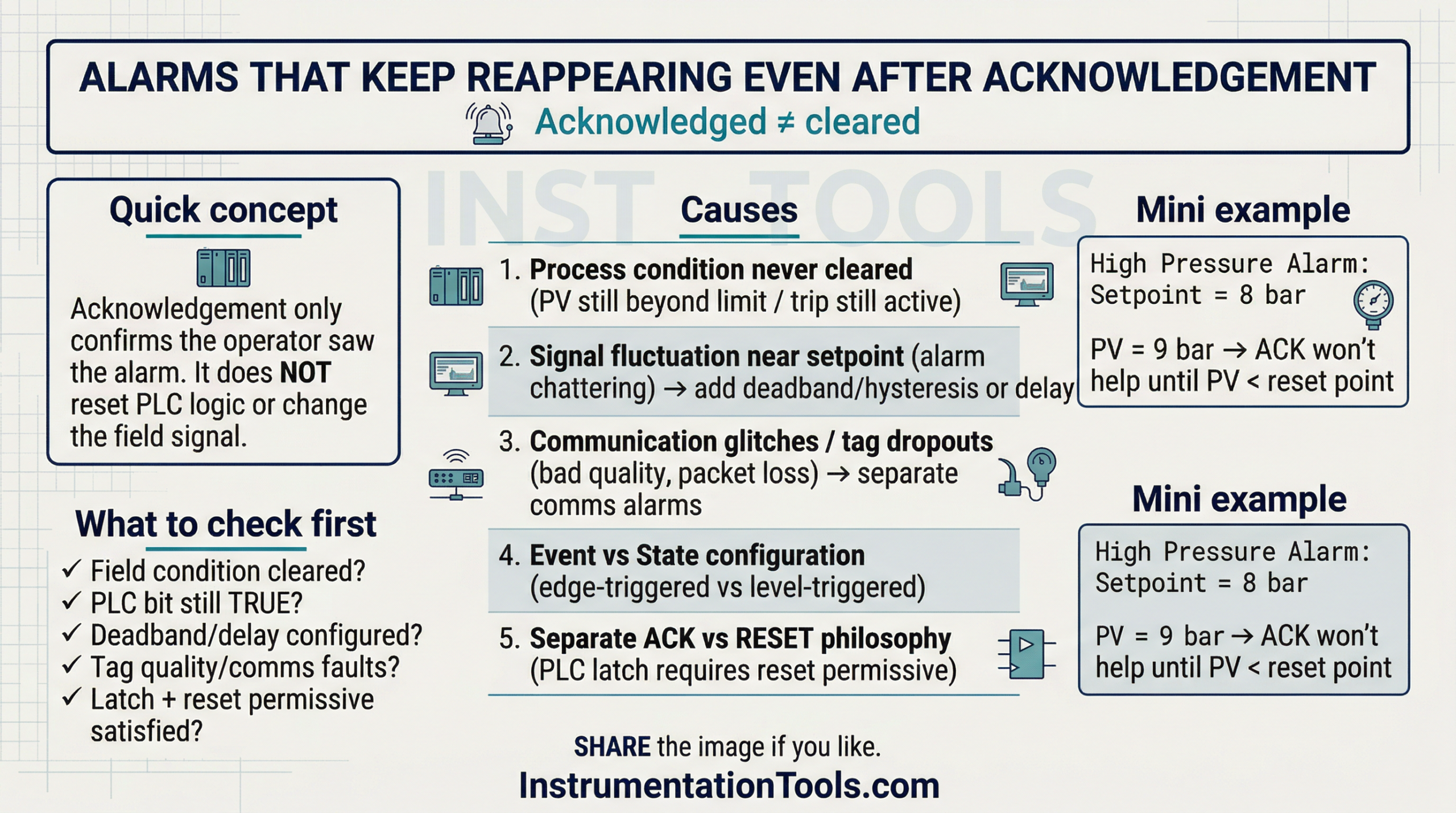
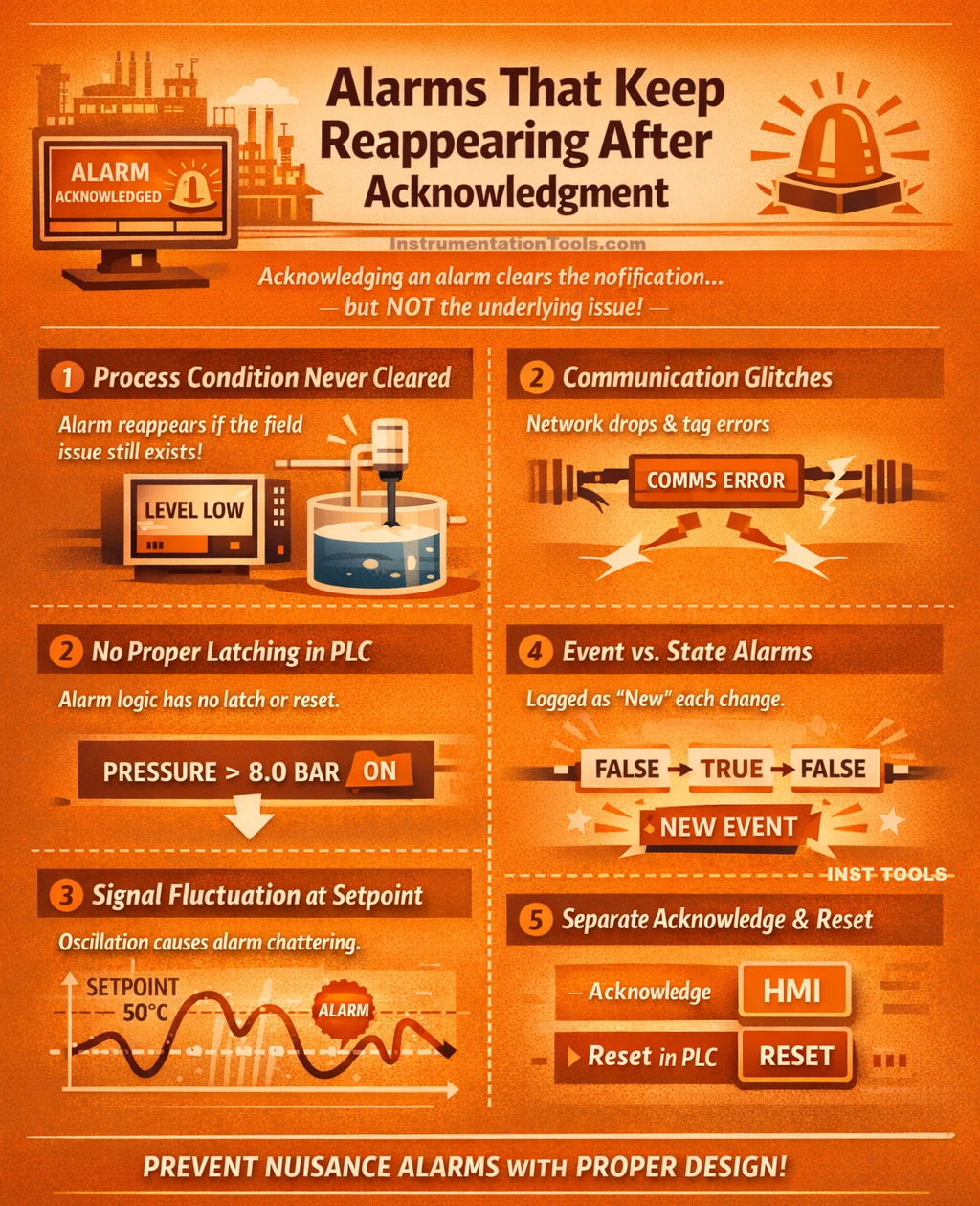
The most common reason alarms keep reappearing after acknowledgment is that the actual process condition has never cleared. In industrial control systems, acknowledging an alarm only confirms that the operator has seen the message; it does not reset the PLC logic or change the field signal. The PLC continuously scans inputs every few milliseconds. If a low-level switch remains active, a pressure transmitter still reads above the high limit, or a motor overload contact is still tripped, the alarm condition in the PLC remains TRUE.
As soon as the HMI refreshes the alarm state, it displays the alarm again because the root cause still exists. For example, if a high-pressure alarm is set at 8 bar and the process is running at 9 bar, acknowledgment does nothing to reduce the pressure. The system is simply doing what it is programmed to do – monitor real-time conditions. The key principle is that acknowledgment clears the notification, not the abnormal condition. Until the process variable physically returns to a safe and normal range, the alarm will continue to regenerate, which is correct behavior from a control system perspective.
Signal fluctuation around the set point
Signal fluctuation around the alarm setpoint is one of the most practical and frequently overlooked causes of alarms that keep reappearing after acknowledgment. In real industrial processes, analog values such as temperature, pressure, flow, and level rarely remain perfectly stable.
Due to normal process dynamics, PID loop corrections, sensor accuracy limits, electrical noise, or mechanical vibration, the measured value continuously oscillates slightly. If an alarm is configured exactly at a threshold, for example, a high temperature alarm at 50 °C, and the actual temperature varies between 49.8 °C and 50.3 °C, the PLC will repeatedly evaluate the condition as TRUE and FALSE in successive scan cycles.
When the value exceeds 50 °C, the alarm activates; when it falls just below, it clears. If the operator acknowledges the alarm during this unstable period, the signal may cross the threshold again within seconds, generating what appears to be a new alarm. This behavior is known as alarm chattering. The control system is functioning correctly, but the alarm engineering is weak.
Proper design requires adding hysteresis (for example, triggering at 50 °C but resetting only below 48 °C) or applying a short time delay, so the condition must remain abnormal for several seconds before alarming. According to good alarm management practices, such as those outlined in IEC 62682, deadband and filtering are essential to prevent nuisance alarms and operator fatigue.
Communication glitches and tag dropouts
Another important reason alarms reappear after acknowledgment is unstable communication between the PLC and HMI. In modern distributed systems, field devices and remote I/O racks communicate over industrial networks such as EtherNet/IP or PROFINET. If there is even a brief network interruption caused by loose connectors, switch overload, improper grounding, EMI, or excessive network traffic, the tag value may momentarily drop, freeze, or go to a default state.
For example, consider a motor running status bit being monitored for a “Motor Failed to Start” alarm. If communication drops for 200-500 milliseconds, the HMI may temporarily interpret the tag as FALSE or bad quality. When communication is restored, the tag becomes TRUE again. This transition can be interpreted as a fresh state change, retriggering the alarm even though the physical motor never actually stopped.
Similarly, analog tags may briefly show zero or an invalid value during packet loss. The alarm condition becomes TRUE, the operator acknowledges it, communication stabilizes, and then another small glitch triggers it again. From the operator’s perspective, the alarm looks persistent and mysterious. The root cause is not process instability but communication quality. Proper diagnostics include checking switch logs, monitoring packet loss, verifying network topology, and separating communication-fault alarms from process alarms. Without proper network health monitoring, intermittent communication issues can easily be mistaken for real process faults, leading to repeated alarm regeneration.
Alarm configured as an event instead of a state
Another subtle but critical reason alarms keep reappearing is incorrect alarm configuration in the HMI or SCADA system. Some alarms are configured as event-based (edge-triggered) instead of state-based (level-triggered).
In a state-based alarm:
The alarm remains active as long as the condition is TRUE. It clears only when the condition becomes FALSE.
In an event-based alarm:
The system logs the moment the condition changes from FALSE to TRUE (rising edge). If the signal briefly drops to FALSE and then goes TRUE again, it is treated as a completely new event.
In SCADA platforms, this configuration difference can significantly affect alarm behavior. If a fluctuating signal momentarily clears and reactivates, the HMI may generate multiple separate alarm entries even though the physical problem never truly stabilizes. For example, a vibration alarm might drop below the threshold for half a second due to filtering or sampling timing. The alarm clears. Then it rises again immediately. The system logs it as a new alarm occurrence. The operator acknowledges it, but because the condition toggled internally, it appears to reappear.
This is not a PLC issue; it is an alarm configuration philosophy issue. Critical process alarms should generally be state-based with proper hysteresis and filtering, not purely event-driven. Otherwise, even minor signal instability can create repeated alarm notifications, increasing operator fatigue and reducing trust in the alarm system.
Separate acknowledge and reset philosophy
In many industrial systems, acknowledgment and reset are two completely different mechanisms, and misunderstanding this separation often causes alarms to reappear.
Acknowledgement is typically handled at the HMI level (for example, in FactoryTalk View SE or WinCC). It simply records that the operator has seen the alarm. However, the actual reset logic is often programmed inside the PLC using platforms like Studio 5000 Logix Designer or TIA Portal.
In well-designed systems:
The alarm becomes active when a fault occurs. The operator acknowledges it (HMI action). Field condition clears. The operator presses a separate RESET pushbutton (PLC action). Alarm latch resets only if the fault is no longer present.
If the reset condition inside the PLC is not satisfied, for example, the motor overload contact is still active, or an interlock is still blocking, the PLC keeps the alarm latch TRUE. The HMI may temporarily clear the visual indication after acknowledgment, but once it refreshes alarm status from the PLC, the alarm appears again because the latch was never reset. This is common in interlocked systems, safety-related alarms, or equipment trip conditions. From the operator’s viewpoint, it feels like the alarm is coming back. In reality, the control philosophy is preventing a reset until the machine is truly safe.
When acknowledgment and reset logic are poorly coordinated between PLC and HMI, repeated alarms are almost guaranteed.
Proper alarm design must clearly define:
- Who acknowledges
- Who resets
- Under what physical condition, reset is allowed?
Without this clarity, alarm behavior becomes confusing and frustrating on the plant floor.
In this way, we saw how alarms keep reappearing even after acknowledgement.