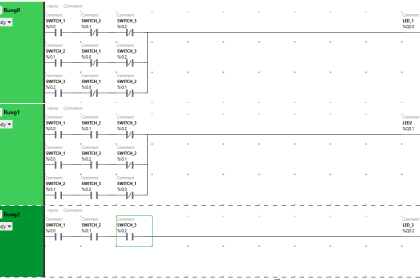
Delta Electronics is a very good and established name in industrial automation, having a wide range of products in its portfolio. Their software is easy to use and quick to install. One of the most popular ones at its base is WPLSoft. It is used to program PLCs, HMIs, and VFDs (DVP series PLC, TP series HMI and E Type, C200, C2000/CH2000/CT2000, CP2000, MS300, MH300, HVAC, LTC, MP series VFD). In this post, we will learn how to download & install WPLSoft software on your PC.
What is WPLSoft?
WPLSoft is software from Delta Electronics that is used to program PLC, HMI, and VFD devices. The PLC programming does not support other IEC 61131-3 standard languages apart from ladder logic. This software is thus designed for simple learning purposes. The software also allows for online simulation without the need for a physical PLC hardware. A standout feature is programming the VFD, through which you can configure the parameters and view live statistics of the VFD. So, WPLSoft is a very good all-around package, having the programmers go easy on the automation devices of Delta Electronics. For advanced options to program all languages in PLC, ISPSoft is the next option to go to Delta Electronics.
The software with the latest version of V2.52 is supported on Windows XP, Vista, 7, 8, 10, or 11 OS, and is available in many languages. The software was issued on 21st January 2024, and has a size of around 81 MB, which is quite small in size and consumes less memory.
How to Download WPLSoft?
Open Google and search for “Delta PLC Software” and then open the Delta Official website. Click Here
Then search for “WPLSoft” on the left side. Then the following screen will open.

Also, you can download the WPLSoft software from the link below directly.
Here you will find the software name of WPLSoft V2.52. Clicking this link will start downloading the software on your PC.
Note: Do not download the software from any unknown source, and always use an antivirus on your PC for protection from any threat. If some antivirus programs block these downloads or installations, you can disable them for a few minutes if it has been downloaded from the official Delta website, which will give no threats.
Once completed, you need to then run the setup file. First, the following window will appear, welcoming you to the installation process.

In the next step, you will be asked to accept the license terms and conditions, without which the installation cannot continue. So, you need to select the accept option and click the Next button to start the process.

Next, you will be asked to enter the name and the company name to save the record. Also, you have to mention whether the software applies to anyone who uses this computer with different usernames, or only the one with the username you entered. For best use, select the first option and hit the next button.

Once done, the final step will ask to start the installation. Click the install button and start the process. After the installation has been completed, you will be asked to click the finish button.

Once installed, the software can now be used and is free of cost. Always read some demo projects of this software if available, for further guidance on development. If not, then refer to the help file catalogues for more details.
So, to quickly brief the installation process, the following steps are:
- Welcome to the installation process.
- Accepting terms and conditions
- Enter the username details and the organization name details, with who is going to use this software on your local PC.
- Starting the installation and finishing WPLSoft.
In this way, we saw how to install WPLSoft software on your PC.
Read Next:
- Configure Analog Inputs and Outputs in Delta PLC
- COCO Simulator: Free Process Simulation Software
- API 2000 Sizing Calculator: Tank Blanketing Valves
- Guidelines to Download Free Robotics Software
- Communicating Delta PLC Software to Simulator