In industrial automation systems, user authentication should be strictly limited to access control. However, in some poorly designed systems, a user login event unintentionally triggers tag writes or control commands.
User Login Causing Problems
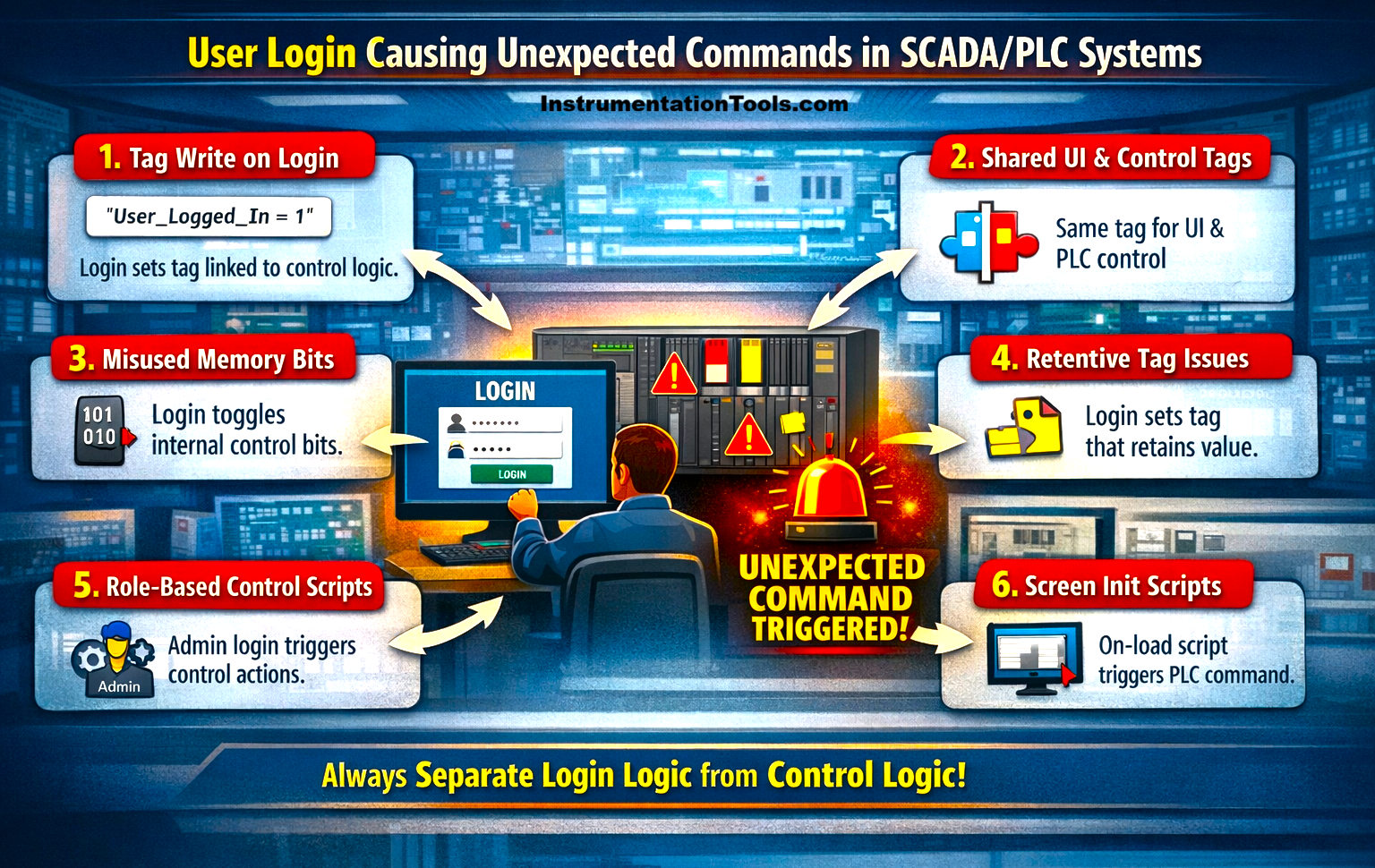
This can lead to unsafe equipment operation, unexpected process changes, or even system trips. Such behavior typically arises from improper scripting, shared tags, or flawed logic linking UI actions with control variables, which will be seen in this post.
Login event linked to tag write
In many SCADA systems, user login events are configured with background scripts that execute automatically when an operator logs in. If these scripts are designed to write values to tags, either for tracking login status or initializing the system, they can unintentionally interact with control logic in the PLC.
For example, a script may set a tag like User_Logged_In = 1 or trigger a reset flag for screen initialization. If the PLC program is using the same tag or monitoring it without proper validation, it may interpret this change as a command, such as starting a motor or resetting a sequence. This issue typically arises when login-related tags are not isolated from process control tags, causing the system to react to a simple authentication event as if it were an operational instruction.
Shared tags between UI and control logic
In some SCADA implementations, the same tag is used both for user interface purposes and for actual control logic in the PLC. During a login event, the system may update a tag to indicate user access or enable certain screens. However, if this tag is also referenced in the PLC program as part of control conditions, the change in its value can be misinterpreted as a command.
For example, a tag meant to represent a system enabled for UI access might also be used in the PLC to allow equipment operation. As soon as the user logs in and the tag is set, the PLC may respond by enabling or starting a process. This happens because the tag is not dedicated to a single purpose, leading to unintended interaction between login actions and control behavior.
Improper use of memory or handshake bits
In many systems, login events trigger internal memory bits or handshake signals intended for screen initialization or status tracking. However, if these bits are reused within the PLC logic without proper segregation, they can unintentionally act as control triggers.
For example, a login action may toggle a bit like Init_Done or Screen_Load, which is meant only for SCADA-side operations. If the PLC program is also monitoring this bit and using it as a condition for sequence start, reset, or interlock bypass, the simple act of logging in can initiate an operation. This issue arises when internal or auxiliary bits are not clearly defined for a single purpose, causing overlap between system events and control execution.
Retentive tags are not reset properly
In some cases, login-related scripts write to tags that are configured as retentive, meaning they hold their value even after logout, system restart, or communication loss. When a user logs in, a tag might be set for initialization or status indication, but if it is not reset properly, the value remains active in the PLC.
Later, when other process conditions become true, the PLC may interpret this retained value as a valid command and execute an action unexpectedly. For example, a tag written during login could unintentionally contribute to a start or reset condition long after the login event has occurred. This happens because the tag’s lifecycle is not managed correctly, allowing past actions to influence future system behavior.
Role-based scripts with direct control actions
In some SCADA systems, login events are used to assign roles such as operator, supervisor, or admin, and corresponding scripts are executed based on the user type. If these scripts directly manipulate control tags instead of just managing permissions, they can unintentionally trigger equipment actions.
For example, when an admin logs in, a script might enable a maintenance mode or bypass certain interlocks by writing directly to PLC tags. If not carefully designed, this can be interpreted by the PLC as a command rather than a permission change. As a result, simply logging in with a higher access level can alter process conditions or initiate operations. This issue arises when role management is tightly coupled with control logic instead of being limited to access control.
In this way, we saw how user login can also cause unexpected tag writes or command triggers.