In industrial automation, networking is a very important part of the process. Because so much data flows through various paths, and as IoT is advancing to high levels, networking is becoming more and more critical. This is making the networking complex to operate, and necessary to troubleshoot in case of any issue. Otherwise, the whole plant process will come to an abrupt halt. For this reason, networking tools are required to be understood properly by the engineers to troubleshoot them. CCNA or Cisco Certified Network Associate has certified many tools for dealing with network issues. In this post, we will see how to diagnose network issues in industrial plants using CCNA tools.
What is the CCNA Certification?
First of all, let us understand why we are discussing CCNA specifically. CCNA stands for Cisco Certified Network Associate. It is derived from a company named CISCO, which is a worldwide name in networking. As it has very strong fundamentals in this field, this certificate thus plays a very important role for network engineers. Once completed, the engineer can then become an expert in various kinds of work like IP troubleshooting, networking configuration, diagnosing connectivity issues, routing and switching configuration, dealing with network redundancy, cybersecurity, leveraging APIs, and understanding how IoT must be dealt with at automation levels.
Why is network troubleshooting important in industrial automation?
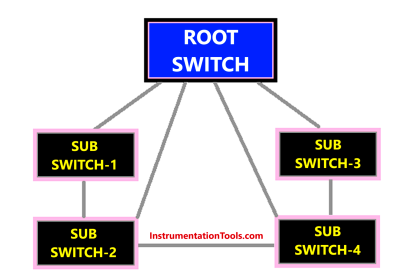
An industrial plant has a wide range of PLCs, SCADA, HMIs, MES, ERP, etc. All these are linked together through networks of Ethernet, mostly, as it makes the connection simple. It is not possible that this whole network setup will remain bug-free every time. It will have its own set of issues, like cable faults, switch loops, IP conflicts or wrong configuration, network latency, broadcast storms, or routing issues. If they are not solved on time, the whole network setup will get disturbed and eventually lead to the plant’s failure in operation. For this reason, network troubleshooting plays a very important role in industrial automation.
CCNA certification teaches us how to deal with such issues. It has developed some tools and also certified some tools of external make, due to which you will be assured that these tools can be used for your work of diagnostics. And especially, as automation has levels like L1, L2, L3, and L4, you will get to know how to solve the issue using very basic OSI model techniques. Let us now see the tools and software that are certified and taught by CCNA.

Network troubleshooting tools trained by CCNA
- ping – Tests connectivity to a remote host and measures response time.
- traceroute (tracert in Windows) – Tracks the route packets take to a destination.
- ipconfig (Windows) / ifconfig (Linux) – Displays or configures IP settings.
- arp – Displays or modifies the ARP (Address Resolution Protocol) cache.
- nslookup / dig – Troubleshoots DNS resolution issues.
- netstat – Displays network connections and listening ports.
- telnet – Used to test TCP connectivity to remote devices.
- ssh – Secure access to remote network devices (replaces telnet).
- pathping – Combines ping and tracert functionalities with loss info.
Ping Command
This is a very basic command to check the IP address. You need to open the command prompt in your Windows PC and write ping commands to check whether that IP is in the network or not. It is a type of echo that sends and receives a reply. If you do not get the reply, then it will be found that the IP address is not in the network now. Apart from basic pinging, you can also set advanced ping commands like setting the exact number of requests, choosing the data length to be transmitted for pinging, continuously pinging, large packet size testing, etc. This command is built into Windows systems.
Traceroute
This is another important tool that is in-built into Windows and can be run by writing a command. It is used to trace the path taken for your destination IP to be pinged. For example, you want to check which path your destination IP address is taking to communicate with your source device, through switches and routers. So, writing a traceroute command will show you the IP address of each switch or device in between, showing the time taken to contact them, and then finally reaching the destination. Due to this, you can check whether there is network latency, or if some device is not communicating between. It uses the ICMP protocol with TTL timeouts to do this work.
Telnet
Telnet is another Windows command that can be run for network diagnostics. It is used to log on to a remote computer and perform some tasks, using your local PC. Due to this, you can check various statuses of the remote device, like which ports are open for working, checking interface status, or changing some network settings. The user credentials are required for logging into the remote device, and once approved, you can then perform the activities. The remote device needs to be configured to accept telnet commands.
Show commands on CISCO devices
These tools were developed by CISCO and are present in only CISCO devices. It has various types of show commands like show interfaces, show IP interface, show IP route, show mac address table, show spanning tree, show running config, and show startup config commands. Due to this, you can perform various advanced tasks like checking whether all available interfaces are present in the network, revealing problems in OSI layer 1 and 2, checking all IP addresses and solving layer 3 issues, checking the router route information, show all configurations of the available devices in the network and checking the startup configurations of the devices.
Wireshark
This is another open-end software that is certified by CISCO in their course. It captures and analyses all packets that are received on a networking interface. It opens all the network ports on your device and checks all the devices present in the network through those ports. You can get information like the MAC address, IP addresses, protocol used, the network load time, and network conversations between all the devices.
In this way, we saw how to diagnose network issues in industrial plants using CCNA tools.
Read Next:
- Importance of ISA CAP and CCST Certification
- Cold Loop and Hot Loop Testing Comparison
- ISA Codes & Symbols for Process Instrument
- Comparison of ISA-88 and ISA-95 Standards
- ISA 18.2 Alarm Management in Process Plants