PID loops are a very complex thing to solve in PLCs when they do not function correctly. This is because PID is a calculation done inside and requires proper tuning parameters according to the process conditions. But many times, it is possible that everything is set correctly, but still, the PID block is not functioning properly.
Many programmers forget to see one thing, which is the PLC background task itself. Even that creates a problem for PID loops and causes them to malfunction. In this post, we will see how background tasks secretly delay PID loops.
Why do background tasks delay PID functions in PLC?
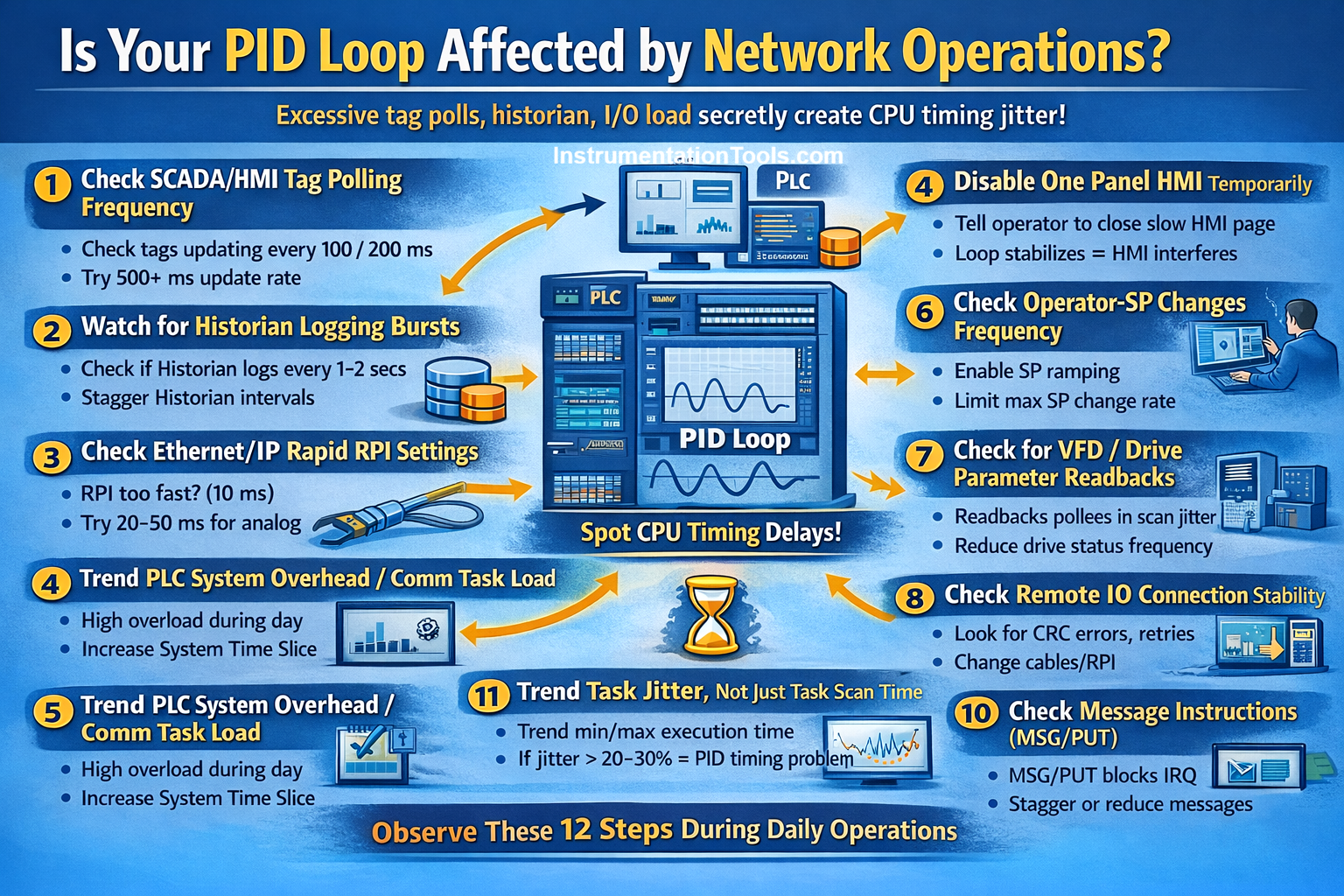
PLC does a lot of background scanning tasks apart from just normal logic checking, like communication checking, tag updates, redundancy checks, firmware housekeeping, IO updates, and datalogging. All these consume a favourable amount of PLC scan time. So, it is not like you set some scantime task and a function performs within that time accurately in every period.
Also, in routine practical conditions, some time goes for network buffering, network retries, IO servicing, and buffer overflows. Background tasks do not appear in a program, but require precise practical knowledge to see where the time is actually being consumed. So, in the case of PID, if it is set inside a task and you assume that the tuning parameters of that function will perform in the set time at every frequency, then it is wrong.
The most important concept here is that out of P, I, and D, the largest affected one is I, or integral time. P is the gain and defines how much the output action should vary in proportion depending on the current error, so it does not matter directly with scan time. D is the derivative and reacts only when the rate changes (change in error), which does not matter directly with time. But, I is the integral time and defines after what time the action must be taken on the output variable. So, you set it to 10 ms, but it can perform after 12 ms due to PLC scan time.
The difference is small, but as time passes by, it goes on accumulating and after some time, creates a huge difference (integral time never resets from zero in the next scan cycle internally inside the PID function, unless the loop is put in manual or the operator resets the block or the block itself is reinitialised). So, if integral time ultimately becomes a big value, then the PLC assumes that the process is slow, which ultimately varies the output variable slowly and thus malfunctions the process.
How to confirm the PID loop issue with the PLC scan time?
There are many ways to check whether the background task is actually affecting the PID loop or not. Let us have a look at them below.
- Create a trend in the HMI or SCADA, mapping the PID current output variable and the PID current integral time output. If the graph is fluctuating or if the time is stepping incrementally, then it can be a PLC scan time issue. The time increment happens best to check when you find that it is increasing even when PV is near the SP, which indicates that either the loop is running late or missing scantime cycles.
- If the PID function is placed inside a heavy continuous task or a program that has heavy calculations or function block calling, it will malfunction when the load increases. So, always check the code where the PID function block has been written.
- If the field sensor is updating its values correctly on time, but getting late to update inside the PLC, then that process variable linked to the PID function block will delay its input. This causes the PID to function late and delay the output variable actions. This also happens due to PLC scan time, failing to read the value on time.
- Temporary, just move the function block to a high-priority task with less scan time. If the block functions correctly and it is giving the desired results over a period of time, then it is purely a scantime issue. This is because now, the PID will get first priority over other tasks; background tasks cannot interrupt it, and the integral time stays consistent.
- When checking PID, simultaneously do some network or refresh activities like opening a display screen, setting values, or opening trends pages. These are nothing but the usual day-to-day activities done by the operator. If the PID block malfunctions due to this, then it happens because these tag updates are consuming PLC scan time.
All these things show that PID loops can be affected by background PLC tasks. In this way, we saw how background PLC tasks secretly affect the PID loops.