Time synchronization between PLC, SCADA, and historian systems is essential for ensuring accurate and reliable industrial operations. In any automation setup, these components continuously exchange data, generate alarms, and record events.
Time Synchronization Issues
If their internal clocks are not aligned, it can lead to incorrect timestamps, making troubleshooting and analysis difficult. Even small time differences can disrupt sequence-of-events tracking and impact production decisions. In this post, we will see the time synchronisation issues between PLC, SCADA, and Historian.
Time drift
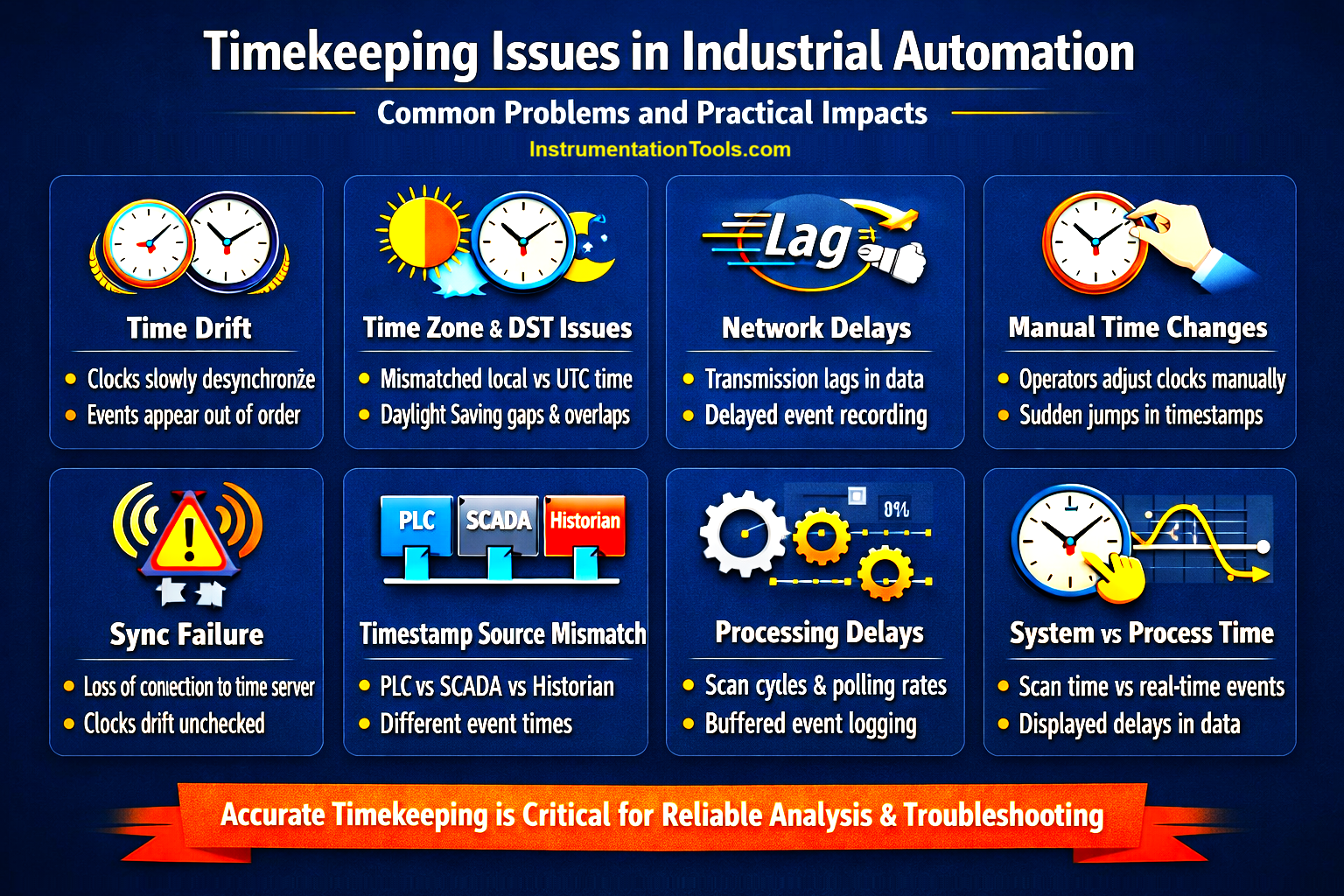
Time drift may sound like a small theoretical issue, but in real plants it creates very practical problems. Each PLC, SCADA server, and historian runs on its own internal clock, and over time, these clocks slowly become unsynchronized.
For example, a PLC might be running 20–30 seconds ahead of the SCADA system after a few days of operation. Now imagine a real scenario: a pump trips due to low pressure at 10:00:05 (PLC time), but the SCADA system records the alarm at 09:59:40 because its clock is behind. Meanwhile, the historian logs the event somewhere in between. When an engineer later analyzes the sequence, it may look like the alarm occurred before the actual fault, which is completely misleading.
Time drift also affects interlocks and event correlation. If multiple PLCs are involved in a process and their clocks are not aligned, it becomes very difficult to understand which event triggered first during a fault condition.
Time zone / DST issues
Time zone and daylight saving time (DST) issues are another common and often overlooked problem in industrial systems. In practice, different components may be configured with different time settings; for example, one system may use local time while another stores data in UTC. This creates confusion when comparing logs, trends, or reports.
Consider a real scenario: your SCADA system displays alarms in local time (e.g., IST), but the historian stores data in UTC. When you check a fault that occurred at 10:00 AM on SCADA, the same event may appear as 4:30 AM in the historian. If the engineer is not aware of this difference, it can lead to incorrect analysis and wrong conclusions.
DST makes it even more complicated. In regions where DST is applied, clocks shift forward or backward by one hour. During this transition:
- You may see duplicate timestamps (same time occurring twice)
- Or missing data (one hour skipped completely)
Network delays
Network delays can also create time-related inconsistencies, especially in systems where devices are distributed across large plants or connected over remote networks. In practice, even if all devices are synchronized to the same time source, delays in data transmission can make events appear slightly out of sync.
For example, a PLC detects a fault and sends the signal to SCADA instantly, but due to network latency (switches, routers, or long-distance communication), the SCADA system may receive and log that event a few milliseconds or even seconds later. Similarly, when data is sent to the historian, buffering or communication delays can further shift the recorded timestamp.
In a real plant scenario, this becomes critical during fast processes or trips. Suppose multiple events happen within a short time, like a motor trip followed by upstream and downstream interlocks. Due to network delays, the order of events recorded in SCADA or historians may not exactly match the actual sequence in the PLC.
Manual time changes
Manual time changes are a surprisingly common but critical issue in industrial systems. This happens when an operator or maintenance engineer directly adjusts the system clock of a PLC, SCADA server, or historian, often to correct time without realizing the consequences.
In a real plant scenario, imagine an engineer notices that the SCADA time is 5 minutes behind and manually updates the system clock. Immediately after this change:
- Alarm logs may show a sudden jump in time
- Some events may appear duplicated or skipped
- Historical data may show gaps or overlaps
For example, if the clock is moved forward, all events in that skipped time period are permanently lost. If moved backward, the system may record duplicate timestamps, making it difficult to distinguish actual sequences.
System time vs event processing time
In real industrial systems, timestamps are not only affected by clocks or networks, but also by how and when data is processed inside devices. This is especially important in PLC scan cycles and SCADA polling mechanisms.
For example, a PLC detects an input change instantly, but it only updates its logic and communication data during its scan cycle (say every 50 ms). Then SCADA reads this data based on its polling rate (say every 1 second). So even if time is perfectly synchronized:
- Event occurs at: 10:00:00.100
- PLC processes it at: 10:00:00.150 (next scan)
- SCADA reads it at: 10:00:01.000 (next poll)
Now the delay is not due to time sync—but due to system behavior.
In real plants, this causes:
- Fast events are getting rounded off in SCADA
- Missed short-duration signals
- Incorrect perception of the delay between cause and effect
In this way, we saw time synchronisation issues between PLC, SCADA, and Historian systems.