

This tutorial will demonstrate how to open an experiment, make configuration changes and download.
DeltaV System Configuration Changes and Download
Open the DeltaV Explorer Go to the Start > Engineering > DeltaV Explorer
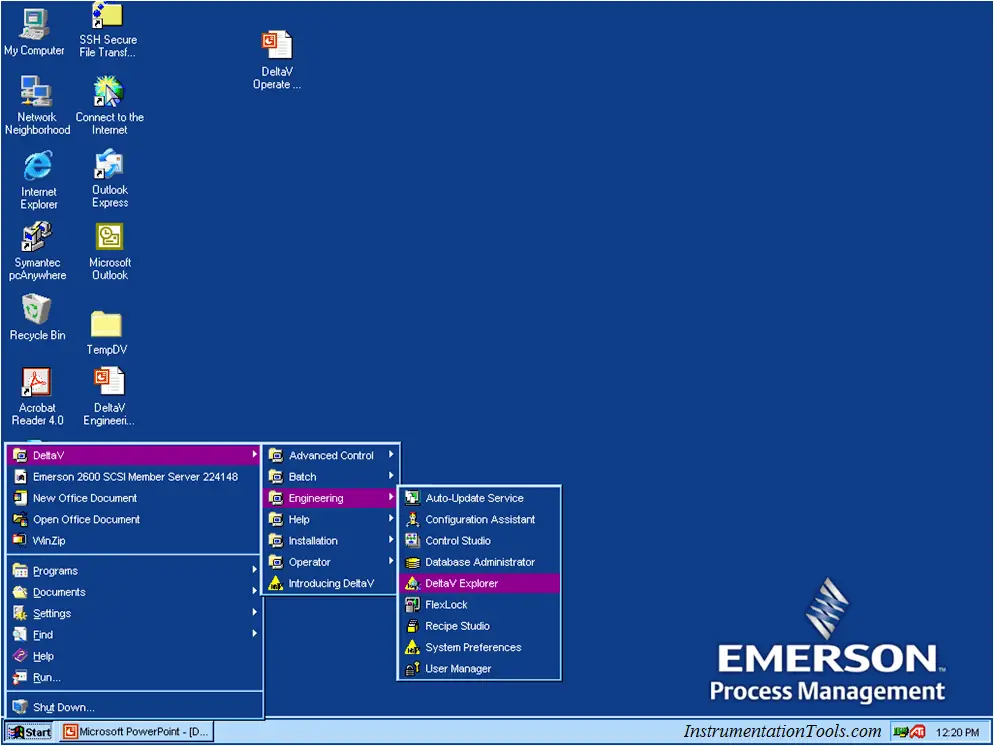
The DeltaV Explorer is the main utility used to initiate changes to the control algorithms and physical hardware.
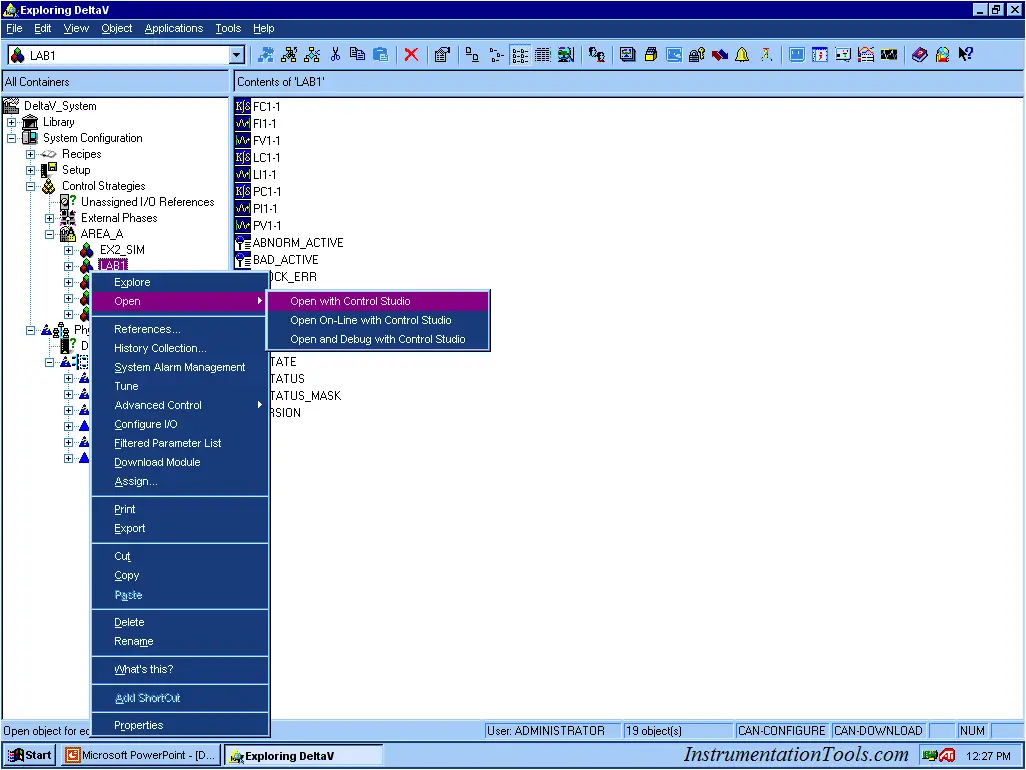
In our case we will be using the Explorer to open each experiment with the “Control Studio”. Our experiments are under “AREA_A”
Example: Open LAB1, Right click:
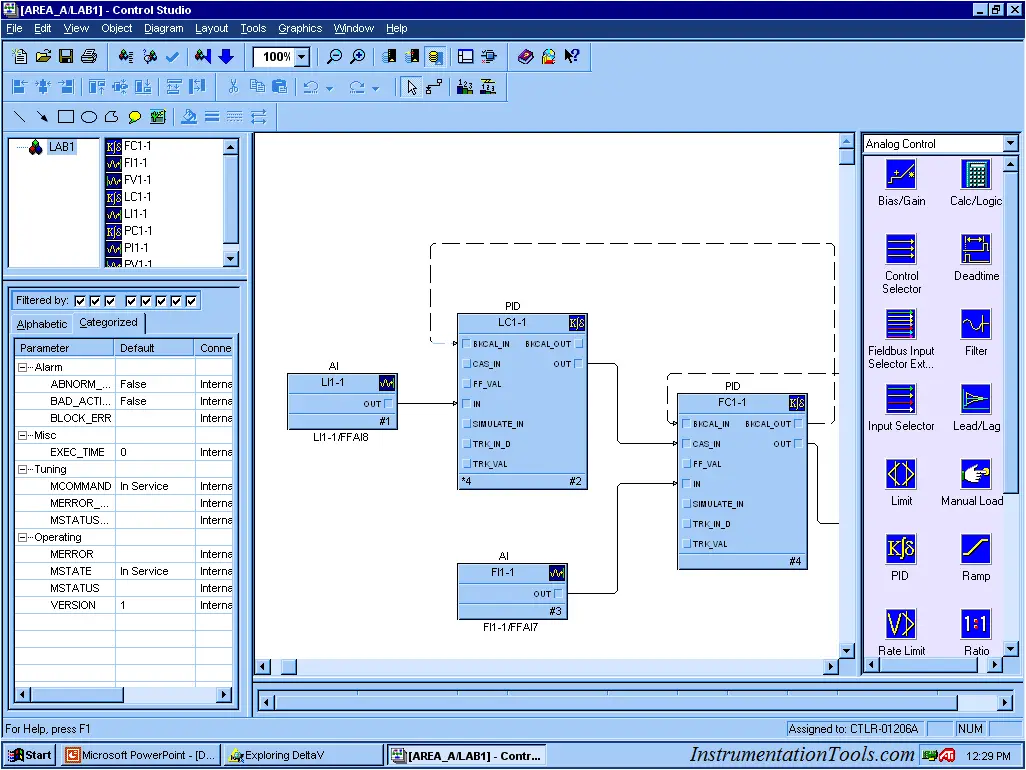
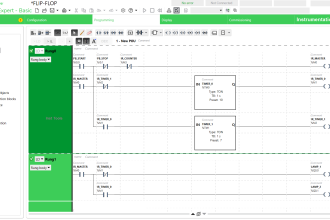
DeltaV configuration is “Object Oriented”,similar to Simulink.
The toolbar on the left side is the pallet of control functions or objects
Select the object of interest by left click
The list in the lower right details all the parameters for each object.
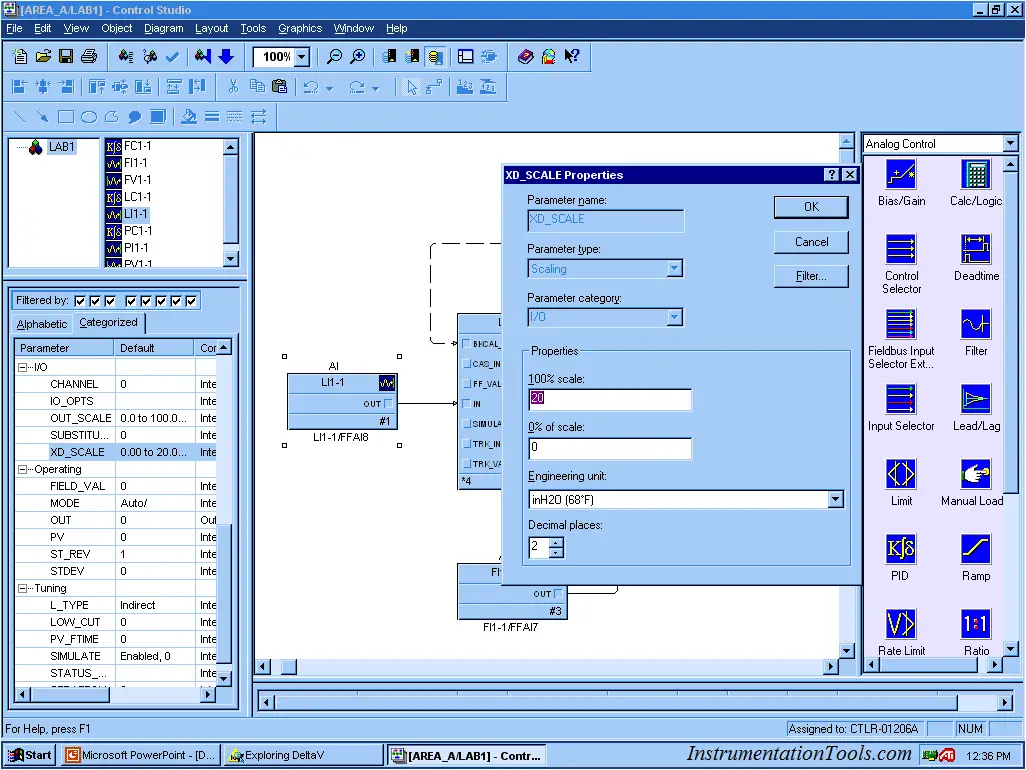
Example LI1-1 has a X_SCALE or field scale of 0 to 20 inH2O (68 DegF)
If you want to know what the object is, right click and select
What’s this? You will the be able to gain access to the Help Files.
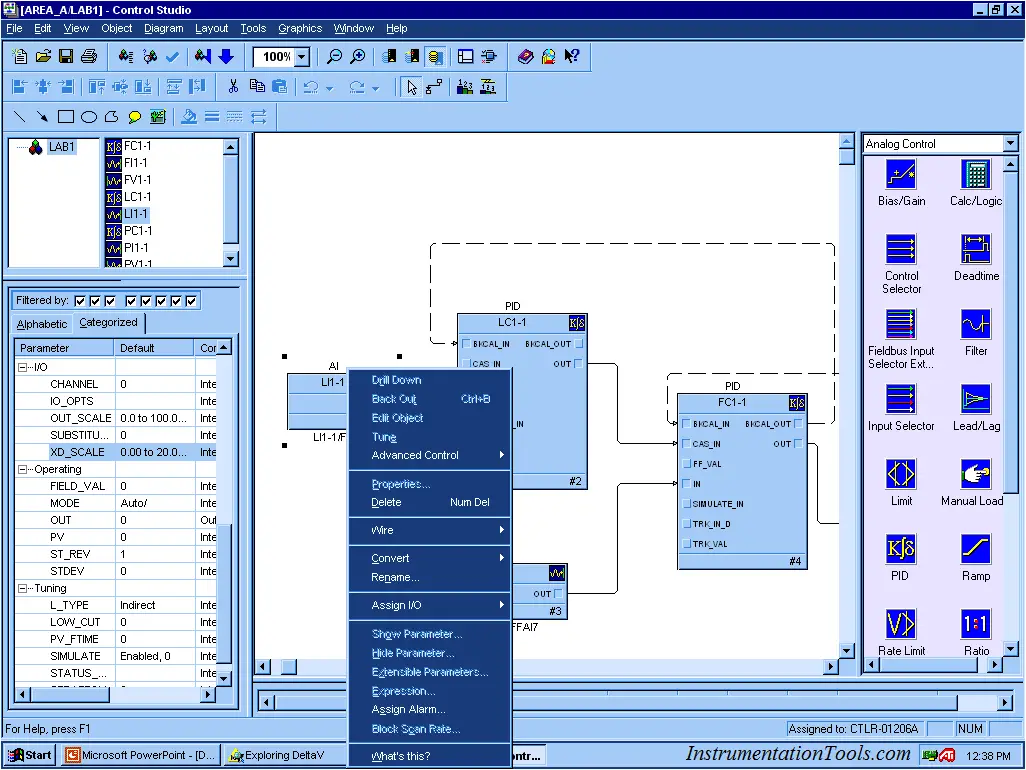
In this article, we will be doing software wiring or connecting objects
To wire, left click on the object’s connection terminal and drag the wire to the other terminal
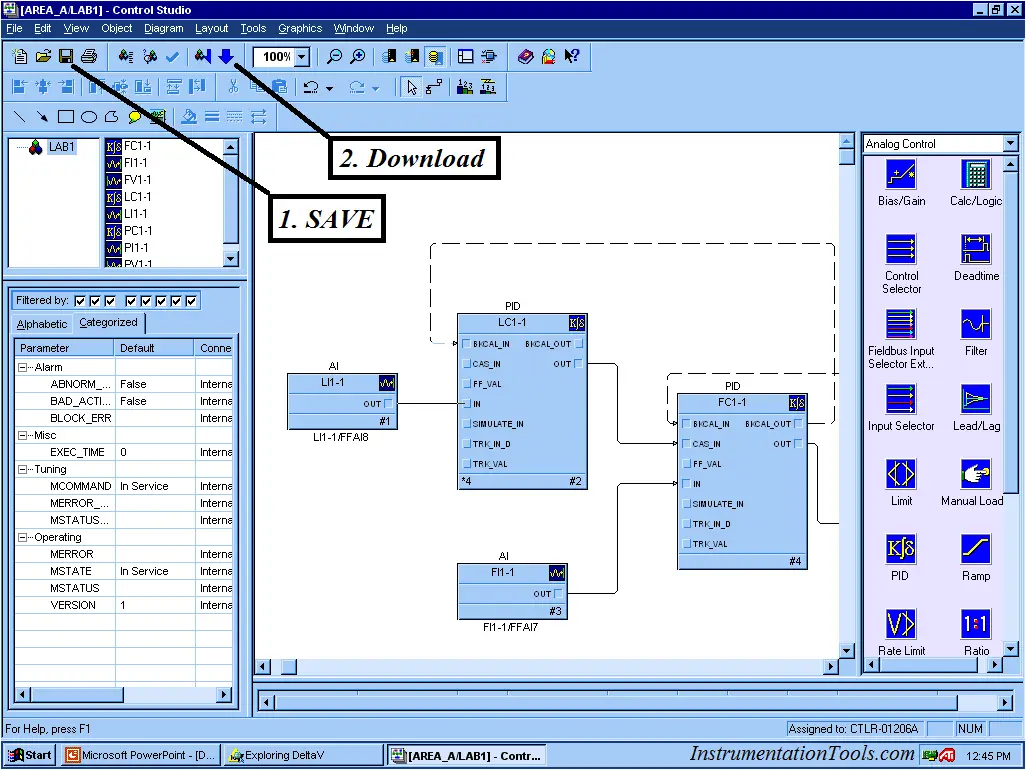
Once the change is made, we need to “Download”, but save first then Download
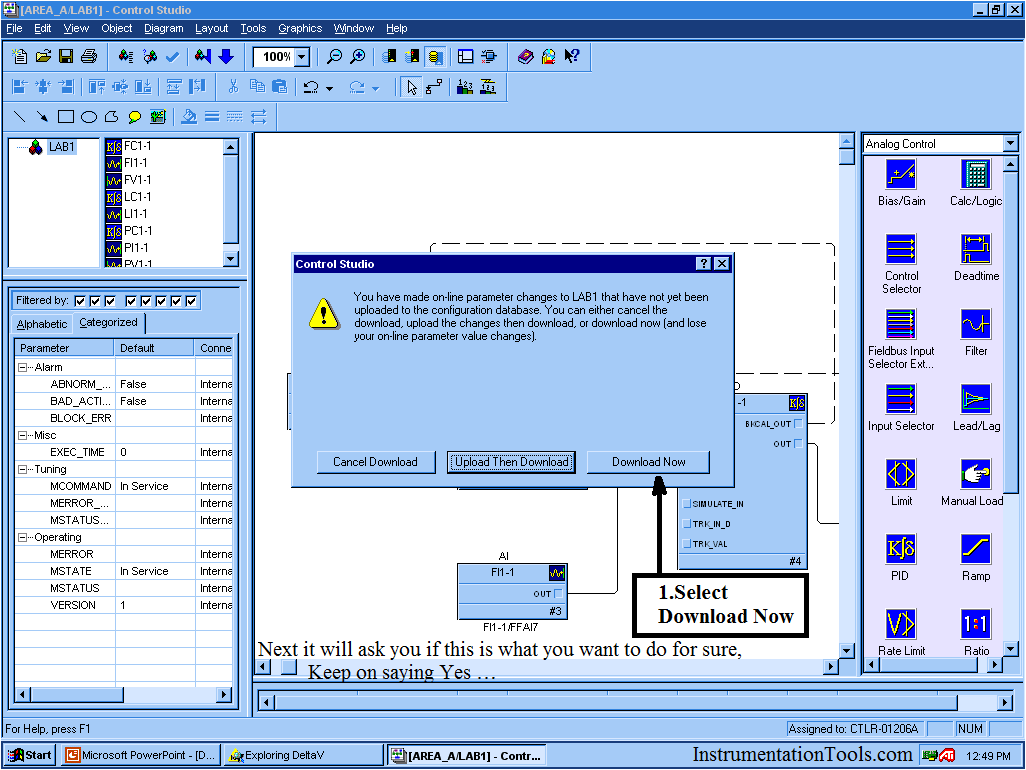
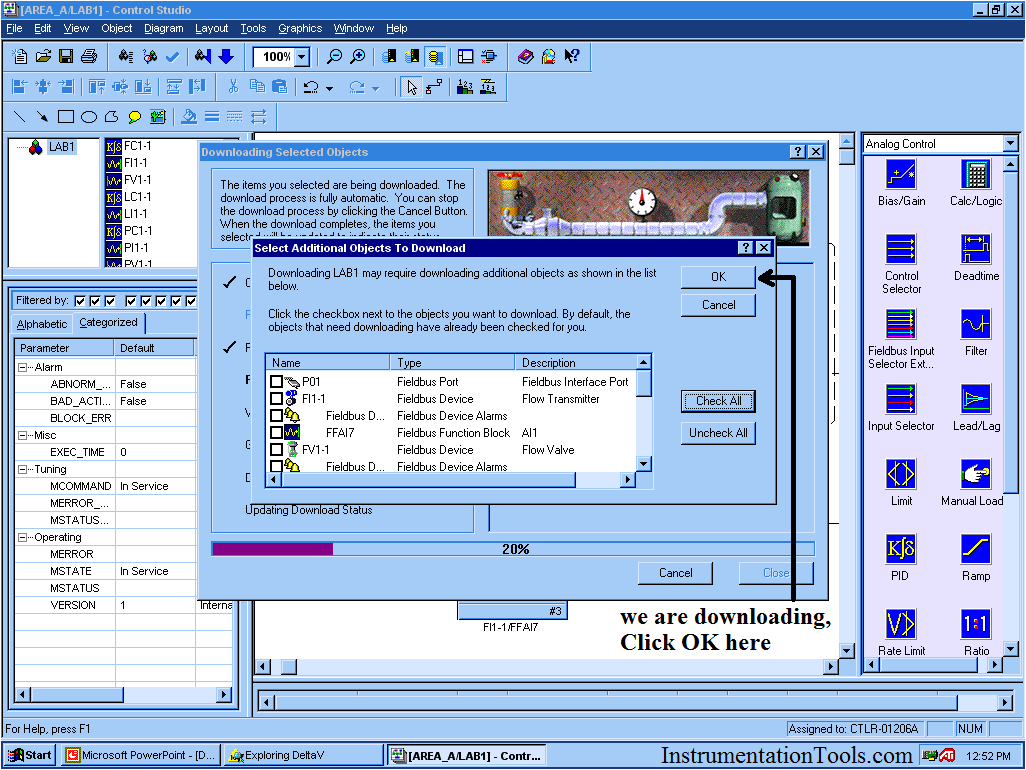
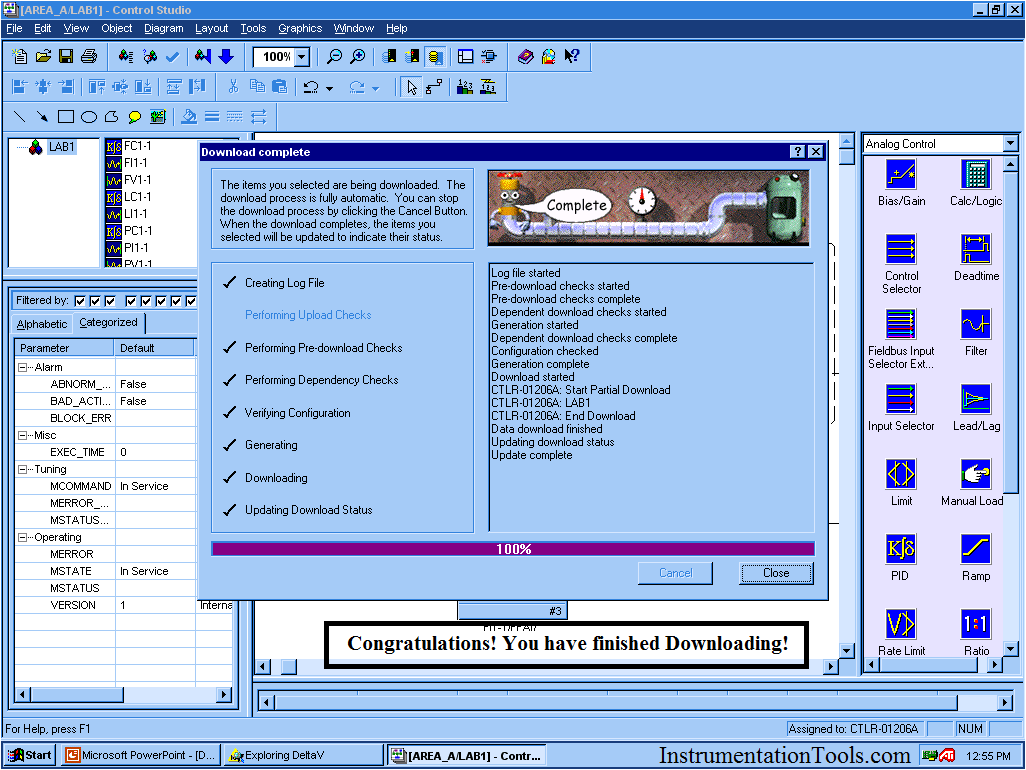
Image Courtesy : Emerson






I need DeltaV demo version, could you please send it t me on izharali0303@gmail.com